
Plan it. Share it. Wire it.
Plan your electrical layout on wall photos — or your solar panels on satellite imagery. Hand your electrician a professional PDF. No technical knowledge needed.

29 Fixture Types
Sockets, switches, dimmers, lights, data outlets, kitchen appliances, outdoor fixtures, EV chargers, floor heating, smoke detectors, and more across 10 categories.
Multi-Wall Projects
Plan every wall in a room. Add multiple wall photos per project, switch between them, and keep fixtures organized per wall.
Safety Zones
Region-specific cable routing zones per IEC 60364, BS 7671, NEC, and AS/NZS 3000. Wet room IEC Zone 0/1/2 included. Real-time violation warnings.
Smart Dimensions
Draw a box on your wall photo, enter one dimension, and auto-calculate the other. Pro Measurements shows distance from wall edge and height from floor for every fixture.
4 Room Types · 4 Regions
Dry room, wet room, kitchen, and outdoor. EU (DIN 18015), UK (BS 7671), US (NEC), and AUS/NZ (AS/NZS 3000) with region-specific rules, cable types, and symbols.
Professional Export
WYSIWYG PDF with title block, fixture schedule, bill of materials, and symbol legend. Also PNG, JPEG, and CSV. What you see on screen is what you export.
Cable Recommendations
Region-specific cable types (NYM-J, Twin & Earth, Romex, TPS), conductor counts, circuit splitting calculations, and material cost estimates.
Sketch & Annotate
Freehand drawing, arrows, text notes, and pins directly on your wall photo. 5 colors. Mark up your plans before sharing.
Wiring Routes
Automatic cable routing from fixtures to junction boxes. Vertical-first or horizontal-first paths. Tap to toggle. Diagonal routing where codes allow.
9 Languages
English, German, French, Dutch, Turkish, Spanish, Italian, Polish, and Portuguese. Switch language instantly without restarting the app.
WireSketch is region-aware. You pick one of four code regimes per home, and every project inside inherits it — so clearances, breaker defaults, cable selection, and load calculation stay consistent across the whole place. Here’s what each selector actually applies, named honestly:
Other European countries. IEC 60364 is a harmonized skeleton, but national codes flesh it out — France runs NF C 15-100, Spain REBT, Italy CEI 64-8, Belgium AREI/RGIE, Switzerland NIN. WireSketch’s DIN 18015 / VDE 0100 selector is the closest available match for any IEC-aligned country, but installation zones, mandatory circuit counts, socket density, and bathroom volume definitions differ nationally. For France, Spain, Italy, Belgium, and the French/Italian parts of Switzerland: treat WireSketch as a layout-planning tool only and defer breaker counts and zone compliance to a local licensed electrician.
The US story, in full. Vanilla NEC isn’t enforced anywhere — every jurisdiction adopts it with amendments. California (CEC + Title 24), Massachusetts, NYC, and Chicago all add substantial local rules. NEC year is not selectable (your AHJ may be on 2017, 2020, or 2023). AFCI dwelling-unit branch-circuit rules (NEC 210.12) are NOT modelled — that’s the most consequential modern residential requirement, covering bedrooms, living, dining, kitchens, laundry, and family rooms. Conduit fill, service-entrance specifics, and local inspector quirks are out of scope. Use WireSketch for the planning conversation; hand the permit-ready design off to a licensed pro.
Not currently supported. Canada (CSA C22.1) is its own regime — not NEC — and is not yet a separate selector. Ireland (I.S. 10101) diverges from BS 7671 in practice and is not modelled separately. New Zealand (AS/NZS 3000 + NZ deviations) has 11 specific clause changes from the Australian baseline and isn’t modelled separately either. If you’re in one of these jurisdictions, none of the four selectors will give you compliant defaults; treat the app as a sketching tool only.
WireSketch is a planning tool, not a stamped electrical design. A licensed electrician must verify and approve the layout before any installation work — that’s the law in every jurisdiction WireSketch supports. GFCI/RCD wet-room rules are applied per region. The app makes the planning conversation faster and more concrete; it does not replace a code-compliant design from a qualified professional.
Satellite Roof Planning
Search your address, align the satellite view on your roof, and draw your roof area. Mark obstacles like chimneys, dormers, and skylights — panels auto-fill around them. Satellite imagery © Apple Maps, shown for planning only.
Real-World Panel Sizing
Choose 300W, 400W, 450W, or 500W panels. Portrait or landscape orientation. Panels are placed at their actual dimensions with no gaps — adjust the count with a slider or tap Fill Roof.
System Summary
Live kWp calculation, estimated yearly kWh yield, inverter sizing (single/three-phase), battery recommendations, DC/AC cable sizing, and self-consumption estimates.
Electrical Room
Dedicated second wall for your inverter, battery, combiner box, and balance-of-system components. Plan the indoor side of your solar installation on a separate photo.
Energy Plan
Auto-seeded from your placed fixtures (EV charger, oven, fridge…). Three honest headlines: what share of your solar actually gets used onsite, how many days a battery would cover in an outage, and a simple payback estimate. Plug-in balcony-solar and battery packages too. Learn more →
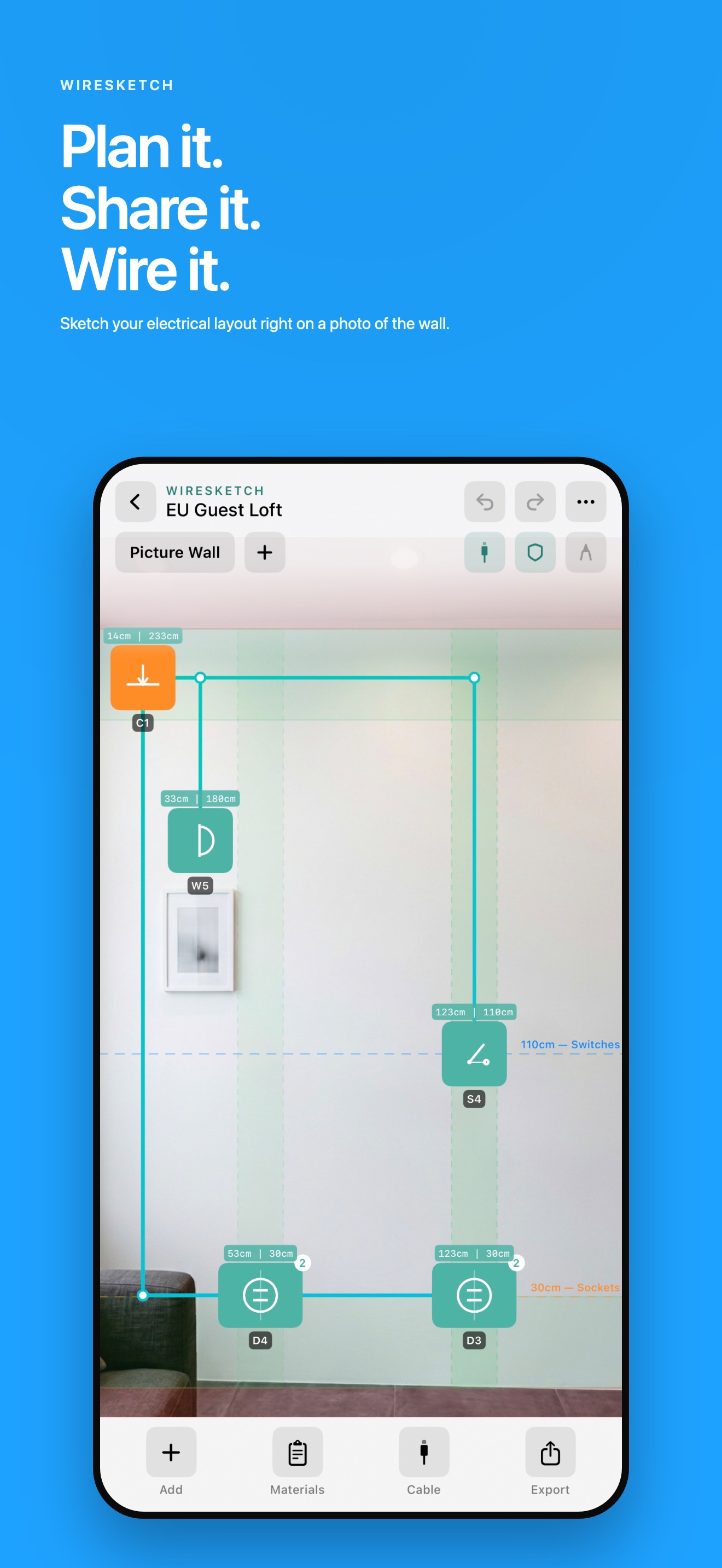
Plan on wall photos
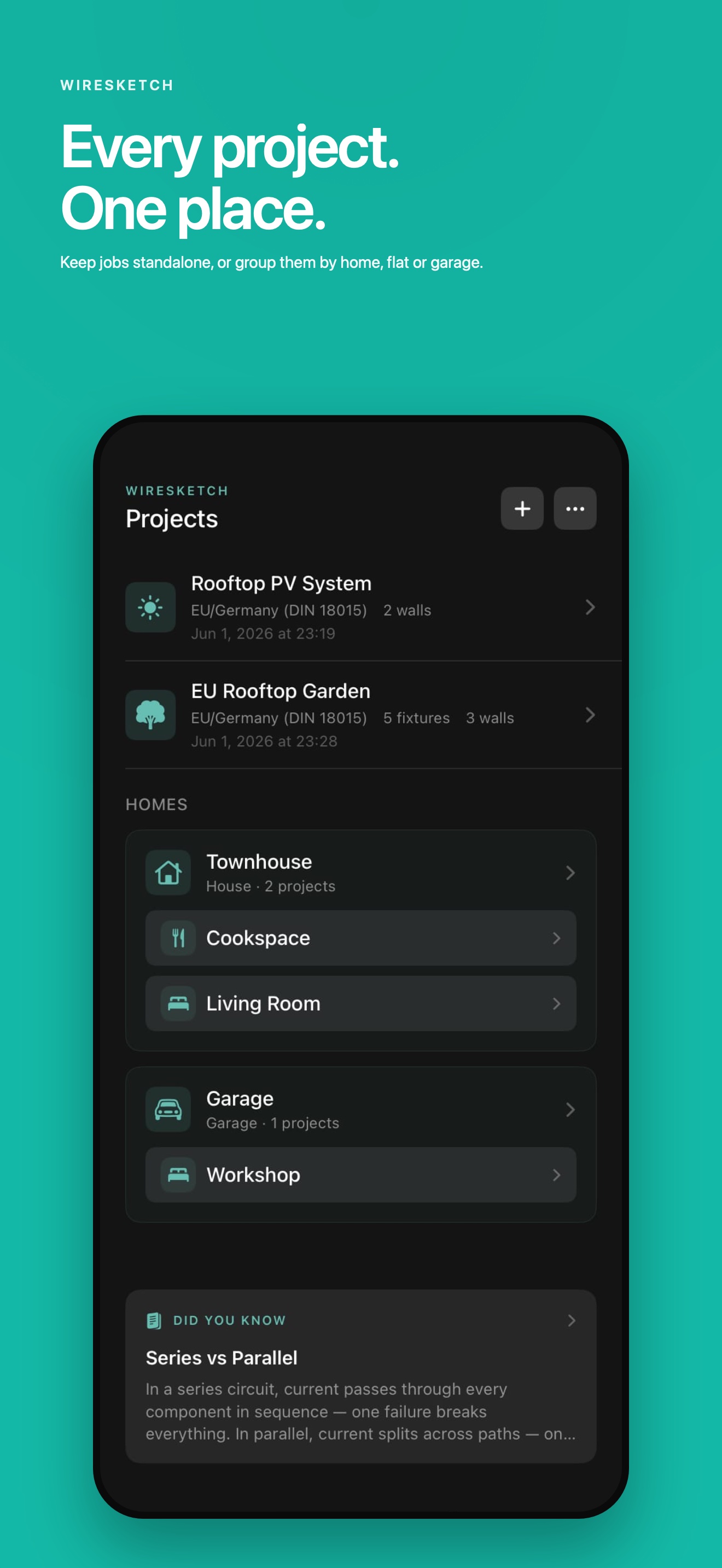
Homes & projects
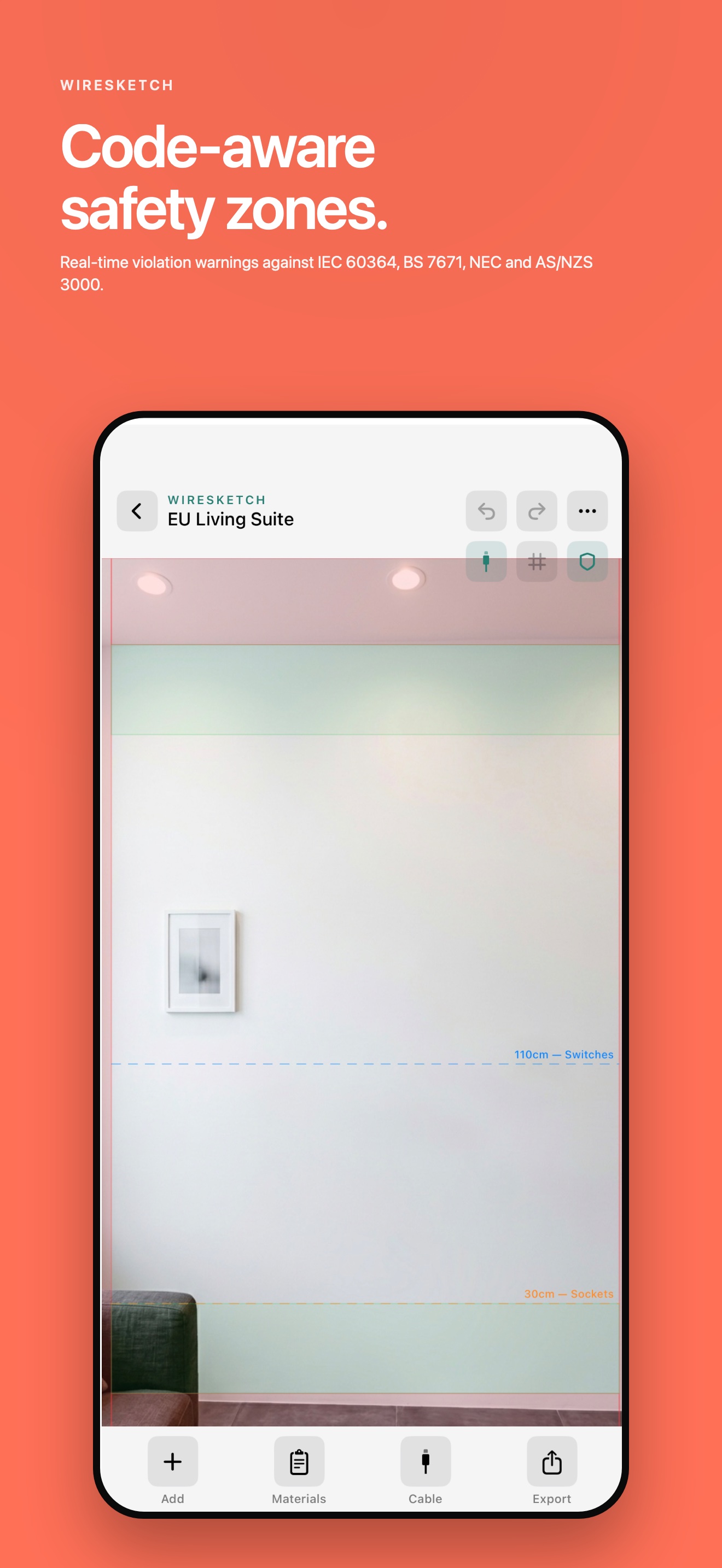
Safety zones
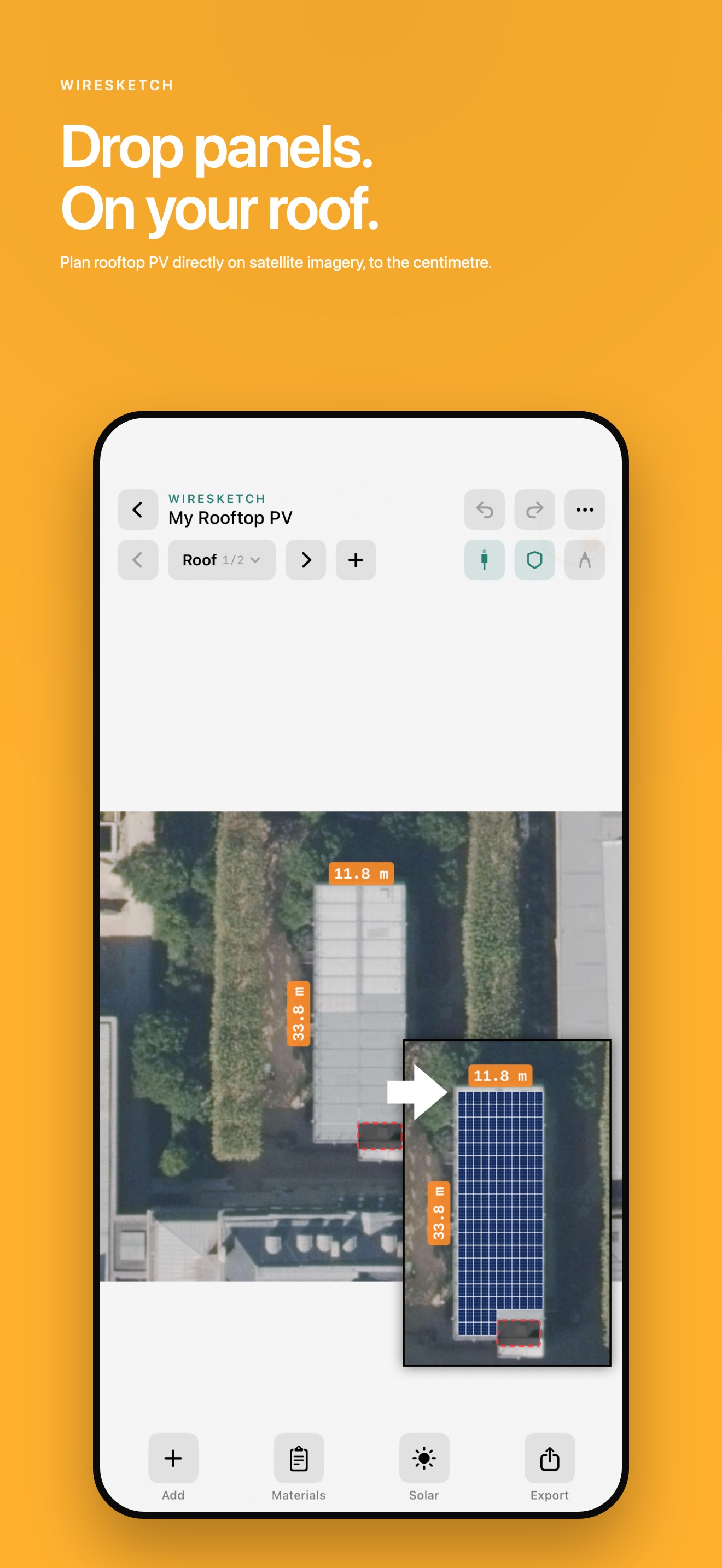
Solar roof planner
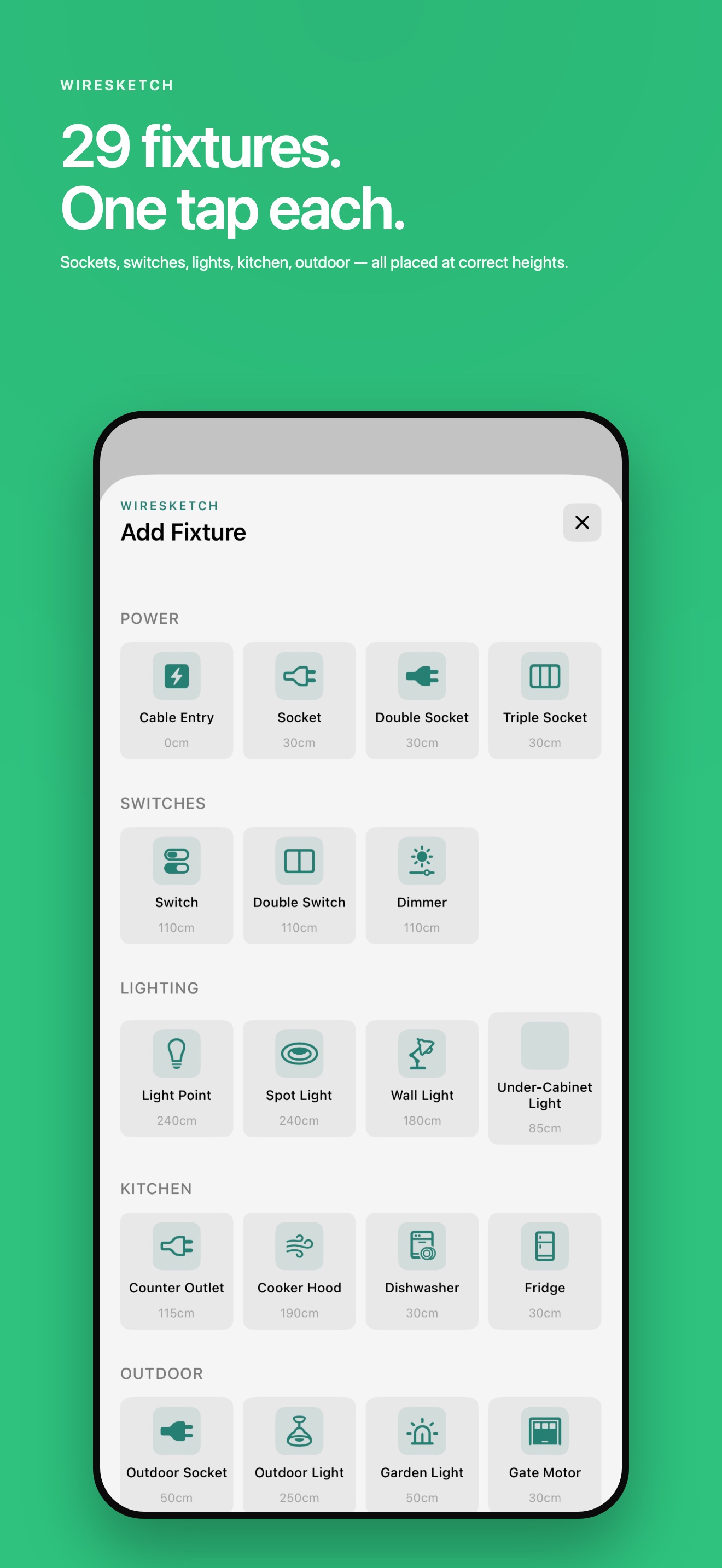
34 fixture types
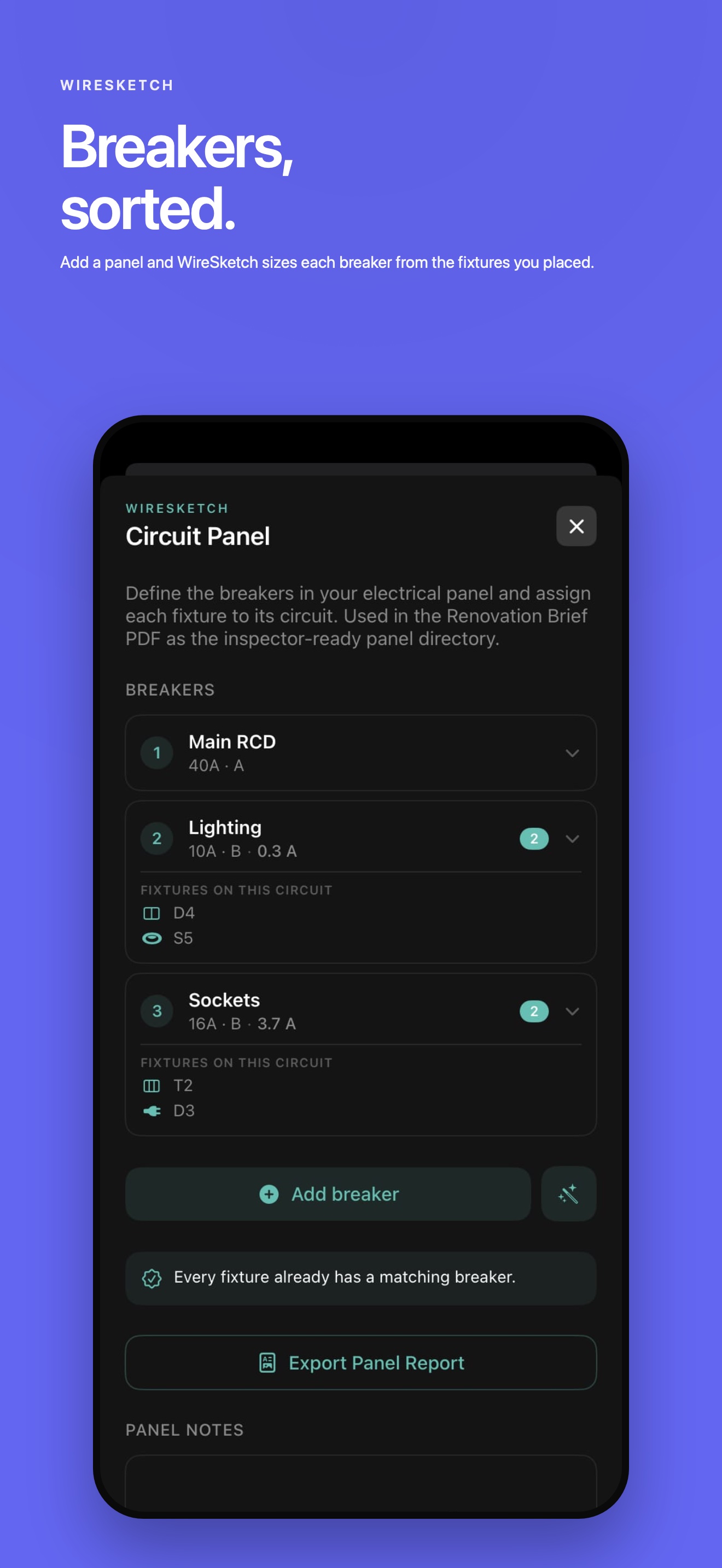
Circuit Panel (Pro)
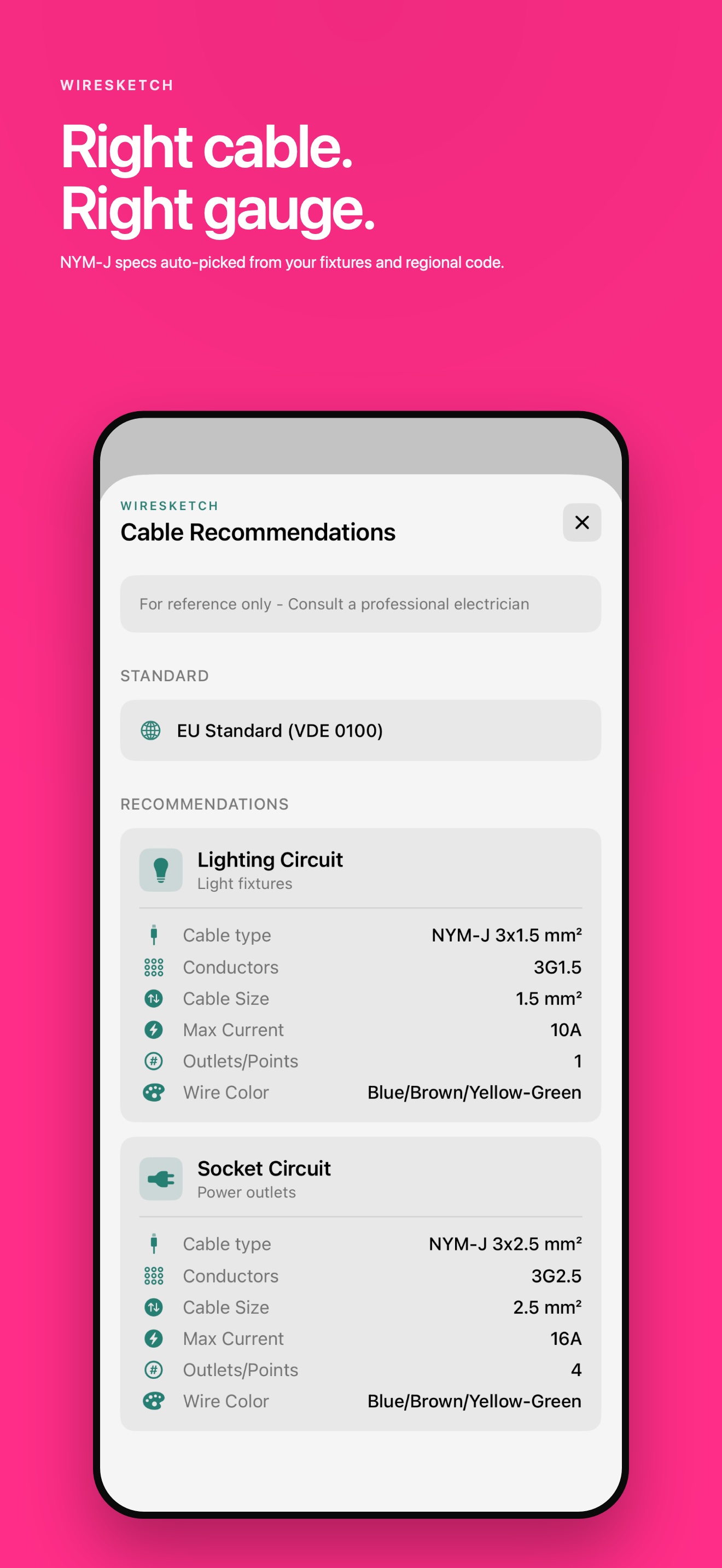
Cable recommendations
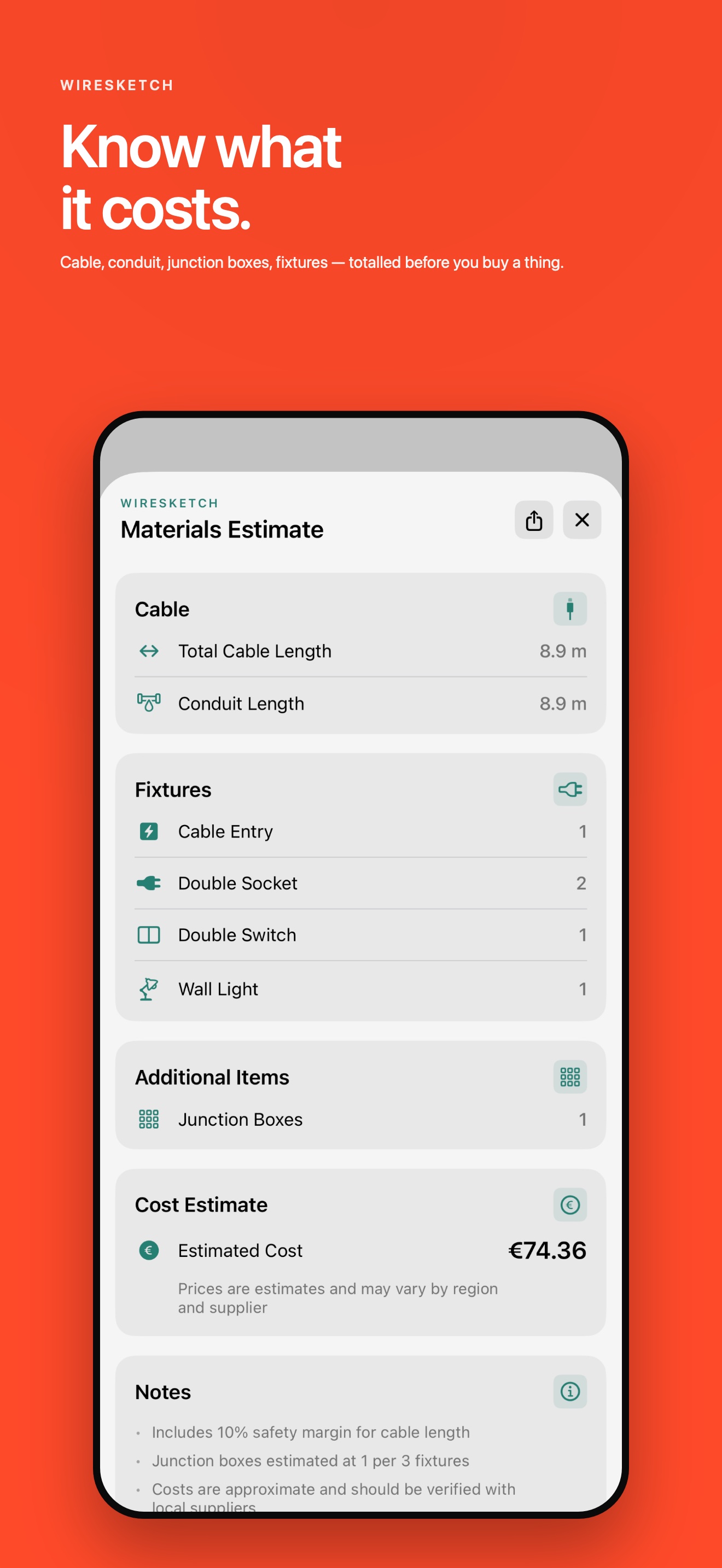
Materials & labor
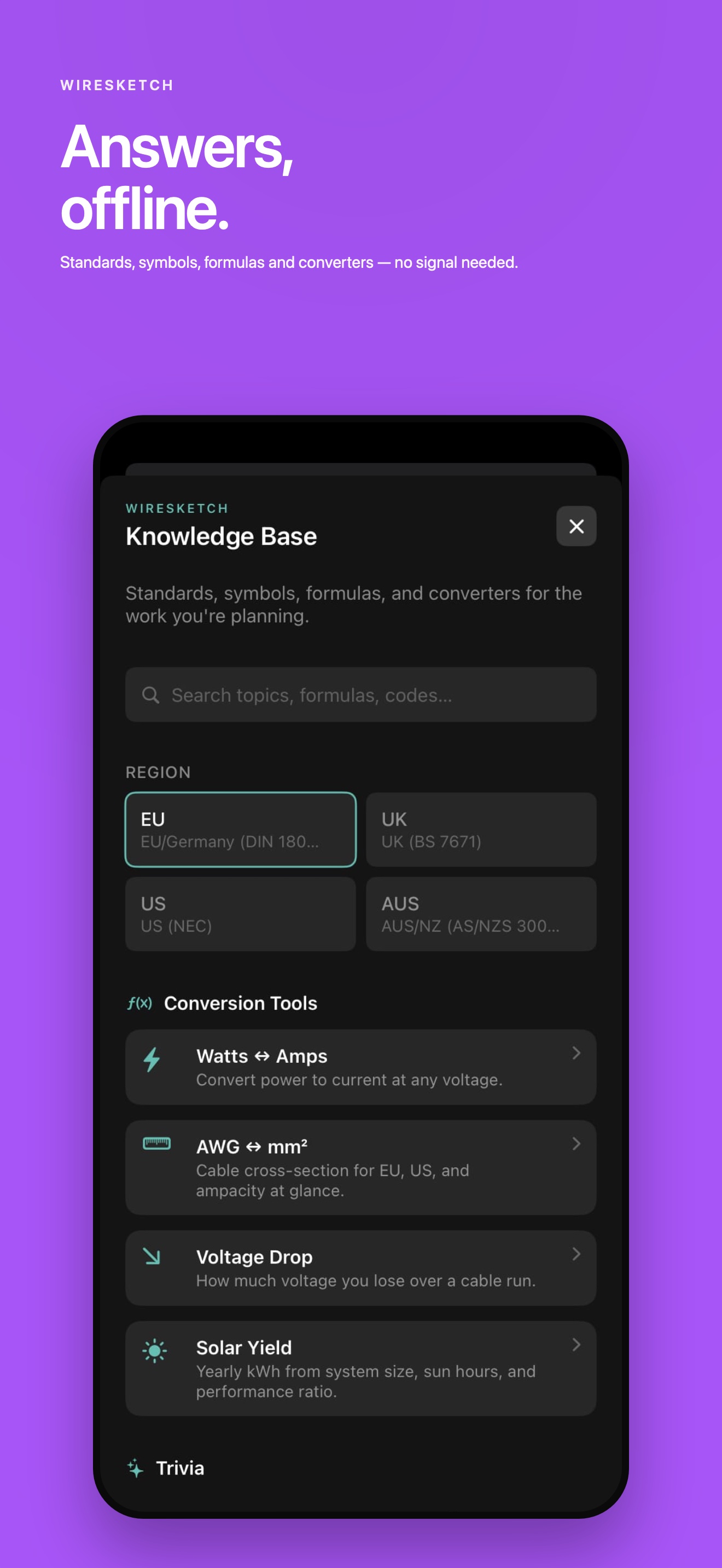
Knowledge Base
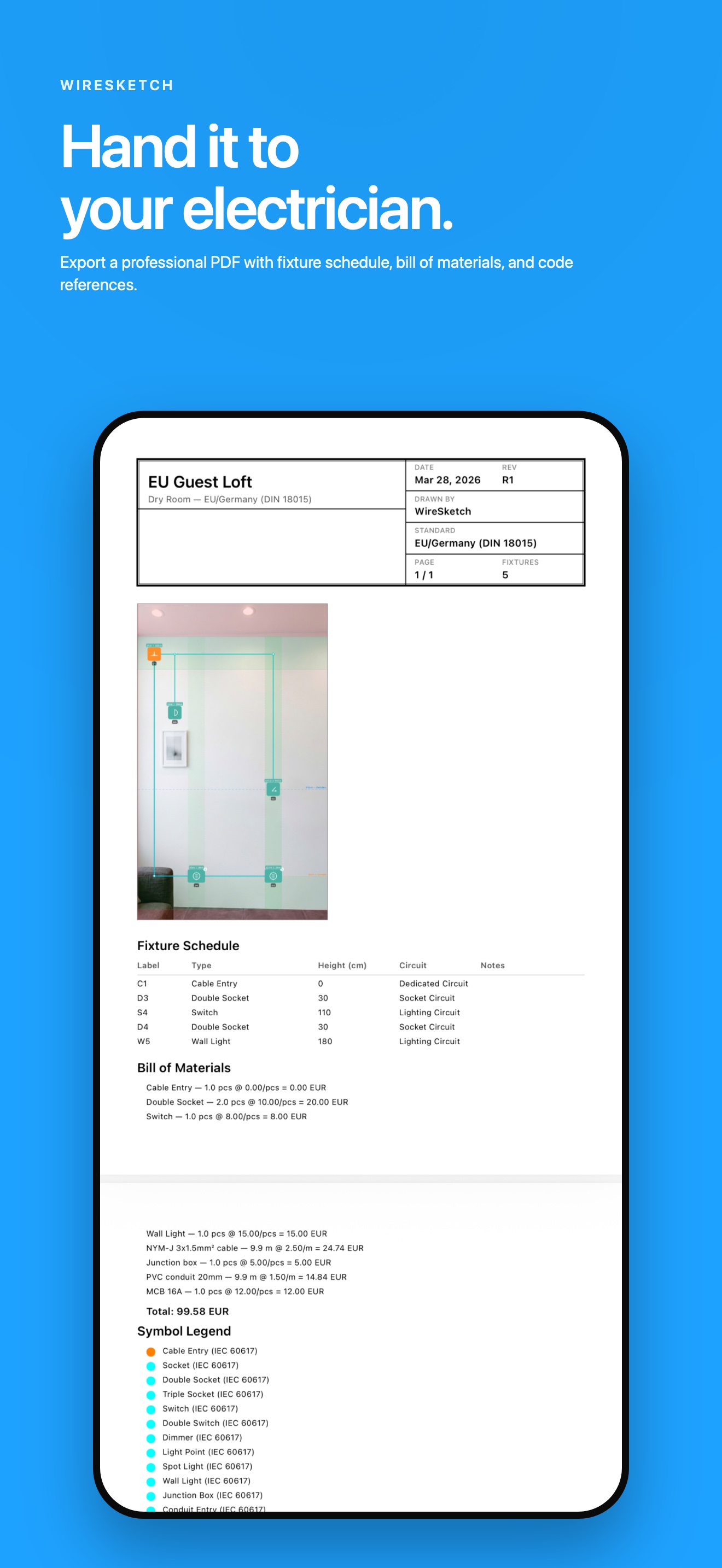
Renovation Brief PDF
What is WireSketch?
WireSketch is an iOS app for planning electrical installations on wall photos. Take a photo of your wall, place fixtures like sockets, switches, and lights, view safety zones based on your regional electrical code, get cable recommendations, and export professional PDF plans.
Which electrical codes are supported?
Four standards, named by the standard rather than by region: DIN 18015 / VDE 0100 (Germany; reasonable starting point for Austria, German-speaking Switzerland, and the Netherlands), BS 7671 (UK, 18th edition A2 2022), NEC base (US planning reference, not jurisdiction-compliant), and AS/NZS 3000 (Australia/NZ). Wet rooms use IEC 60364 zones across all four. Other European national codes (France/NF C 15-100, Spain/REBT, Italy/CEI 64-8, Belgium/AREI) and Canada (CSA C22.1) are not modelled separately — for those jurisdictions treat the app as a sketching tool and defer compliance to a local electrician.
Can I plan bathroom electrical layouts?
Yes. WireSketch has a dedicated wet room mode with IEC 60364 Zone 0, Zone 1, and Zone 2 safety zones. It shows where you can and cannot place fixtures near showers and bathtubs.
Does it replace an electrician?
No. WireSketch is a planning tool only. All electrical work must be carried out by a qualified electrician. The app helps you plan and communicate your layout.
Does it work offline?
Yes. Your projects work fully offline and all your planning data stays on your device. Network is used only for optional extras: in-app purchases via the App Store, Apple Maps imagery in the Solar Planner, and — for free users — ads (any purchase removes ads completely).
What languages are supported?
English, German, French, Dutch, Turkish, Spanish, Italian, Polish, and Portuguese. Switch instantly within the app.
What are the in-app purchases?
Multi-Wall lets you add multiple wall photos per project. Pro Measurements auto-calculates dimensions and adds perspective correction. The Pro Bundle includes both at a discount. Solar Planner lets you plan solar panels on satellite imagery with kWp, yield, and inverter/battery sizing.
Can I plan solar panels with WireSketch?
Yes. The Solar Planner add-on lets you search your address, view your roof on satellite imagery, draw the roof area, mark obstacles like chimneys, and auto-fill panels. You get a live system summary with kWp, estimated yearly kWh yield, inverter sizing, battery recommendations, and cable sizing. Export a professional PDF to share with your solar installer.
Does it replace a solar installer?
No. WireSketch Solar Planner is a communication tool for planning purposes only. All solar installations involve lethal DC voltages, roof work hazards, and grid interconnection requirements. Share your plan with a certified solar installer for a professional design.
DIN 18015 / VDE 0100 (Germany)
What WireSketch’s German default actually applies — and where DIN-aligned countries (AT, CH-de, NL) fit. Plus what we don’t model.
BS 7671 (UK)
18th edition Amendment 2 (2022). What WireSketch implements, why Part P notifiable work still needs a registered installer.
NEC base (US)
Why “vanilla NEC” isn’t enforced anywhere unchanged, and the practical limits of using WireSketch for US residential planning.
AS/NZS 3000 (AU/NZ)
The Wiring Rules — what WireSketch models, where licensing rules vary, what’s out of scope.
Circuit Panel (Pro)
Lay out every breaker, auto-fill from placed fixtures, export the Panel Report PDF. The 1.8 flagship Pro feature.
Homes — one electrical code
House, Flat, Apartment, Garage, Commercial. One address, one region, one or more panels. Free for everyone.
Renovation Brief PDF
A4 with cover, wall sketches, fixture schedule, bill of materials, and an 8-item electrician checklist.
IEC 60364 wet-room zones
Zone 0/1/2 explained: what fits where, what IP rating goes where, and why the US uses a different model.
Cable types by region
NYM-J, Twin & Earth, NM-B, TPS — what residential cable is used where and why they aren’t interchangeable.
Breaker curves (B/C/D)
What the curve column on a panel row means. When to use which curve and why a 16 A B-curve isn’t a 16 A C-curve.